DS Club
A private cashback club, rebuilt as three products: clients, stores and staff
- Company
- DS Club
- Role
- Product designer and developer
- Timeline
- April to June 2026
- Site
- dsclub.app
- Product spec
- Design system
- Web platform
- iOS
- Integrations


Results
The project
DS Club is a private cashback club for the clients of an architecture firm in Palmas, Brazil. Clients earn cashback when they buy from partner stores during their build, and spend it at the other partners. I wrote the spec and rebuilt the club from a generic CMS into a product for each role, directing AI agents: an admin console for the firm, a workspace for store managers, a client area and a native iPhone client, built and not yet released.
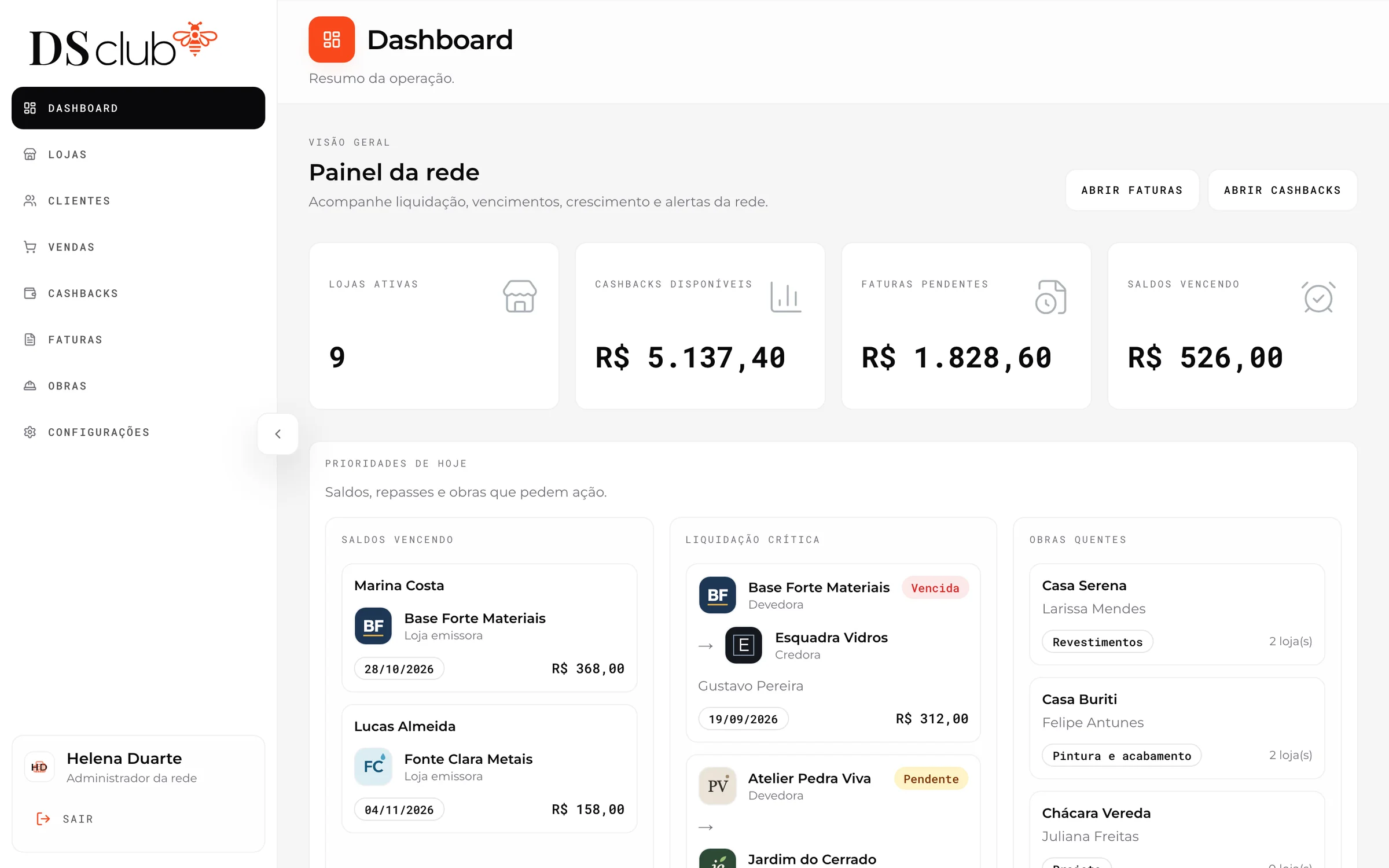
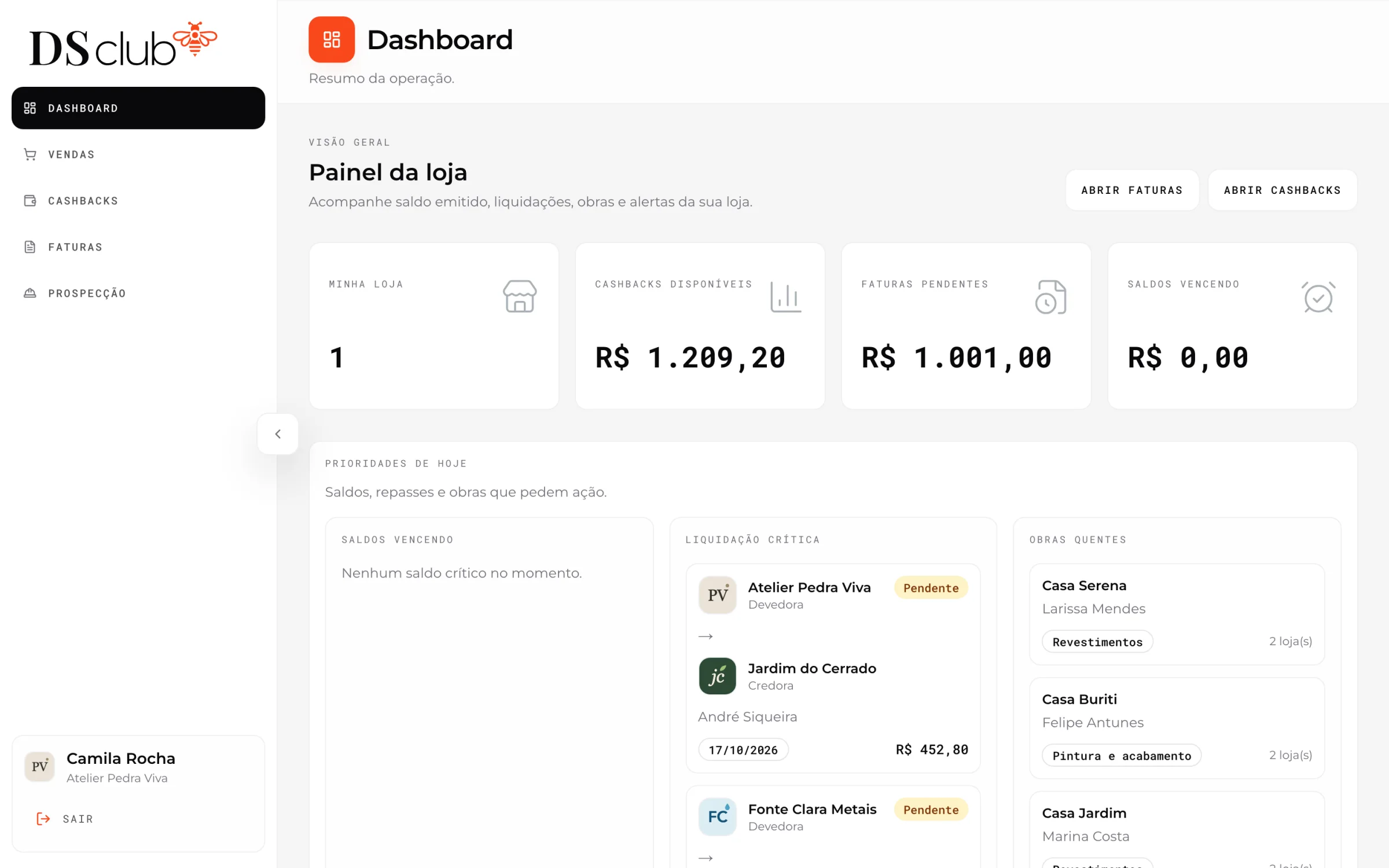
The firm’s console opens on today’s priorities across the network: balances about to expire, invoices to settle and builds worth a call.
Real product screens from a local copy filled with invented clients, stores and sales.
The problem
The club had run for over two years on a generic headless CMS, with 31 partner stores, 48 builds and 133 sales. It held the data, but it gave nobody a product of their own: not the firm, not the stores and not the clients.
- 01Clients couldn’t see their own balance: they had to ask, then work out where it could be spent.See how it was solved
- 02Store staff registered sales in a generic CMS admin they found hard to use.See how it was solved
- 03Stores couldn’t see the clients’ builds, so they had no way to know who was about to need them.See how it was solved
- 04Cashback spent at another store left money owed between stores, and nothing settled it: the invoices existed in the data but had never been used.See how it was solved
- 05Nobody was notified of anything: no welcome, no new cashback, no warning before a balance expired.See how it was solved
How I solved it
One answer per pain. The product screens come from a local copy filled with invented clients, stores and sales; the public pages are the live site.
01
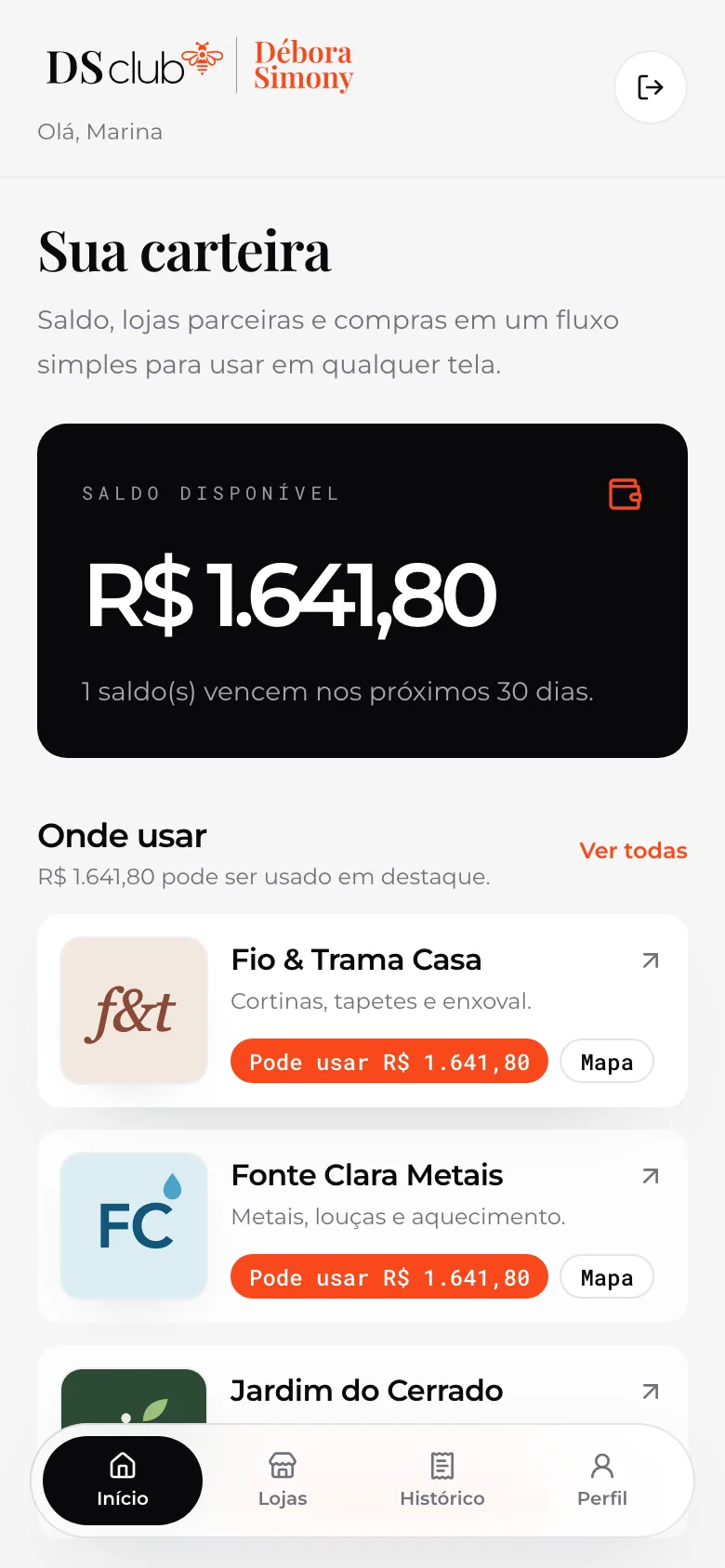
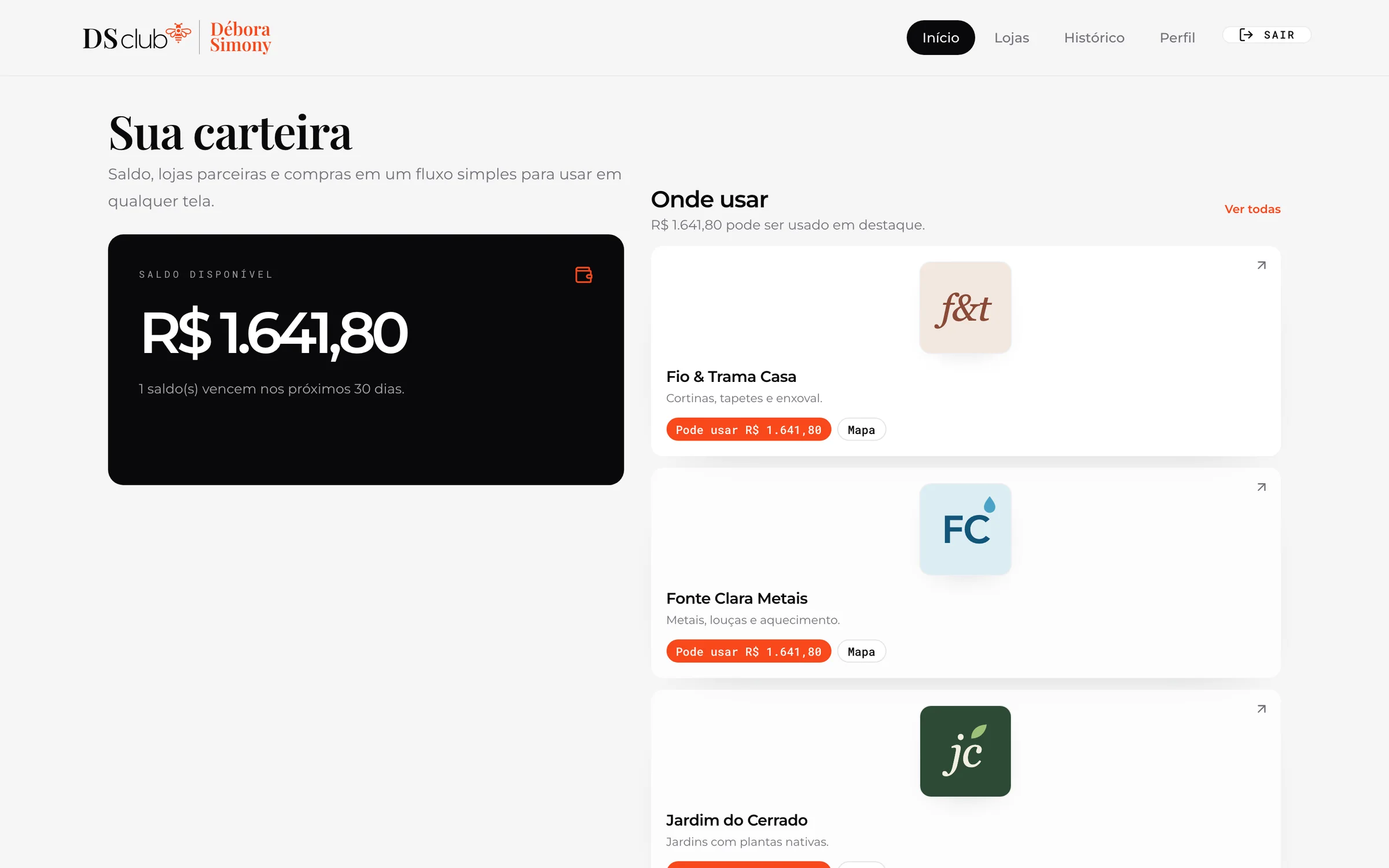
Clients see their balance, and where it works
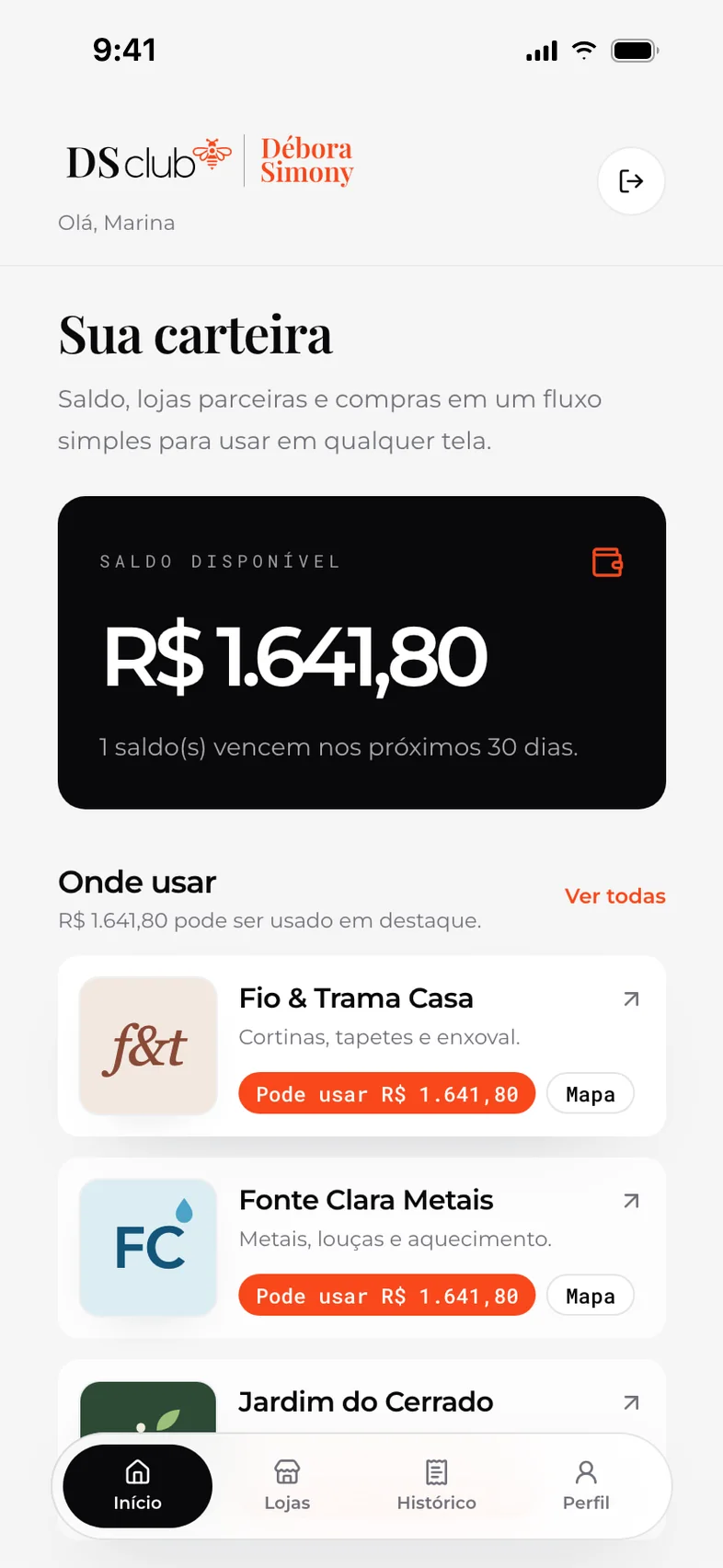
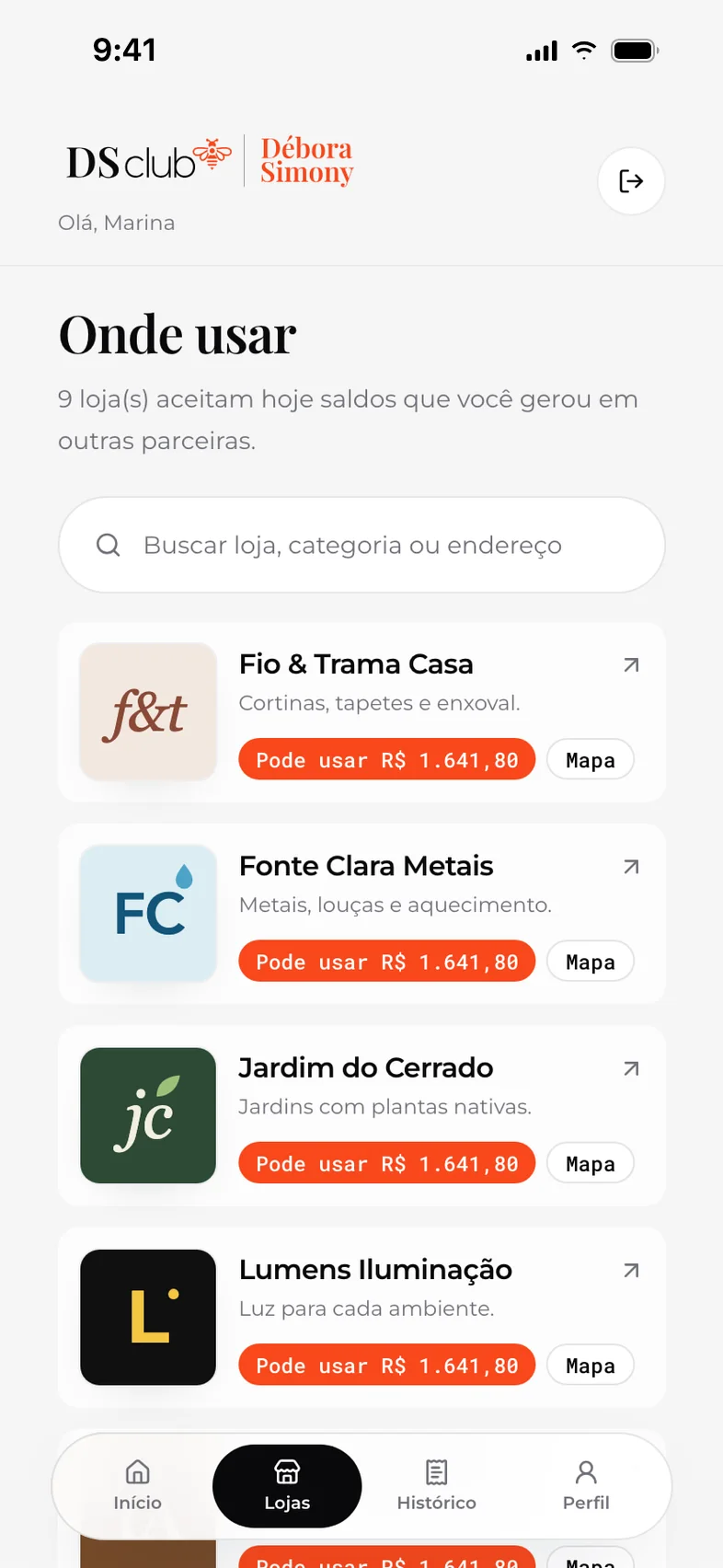
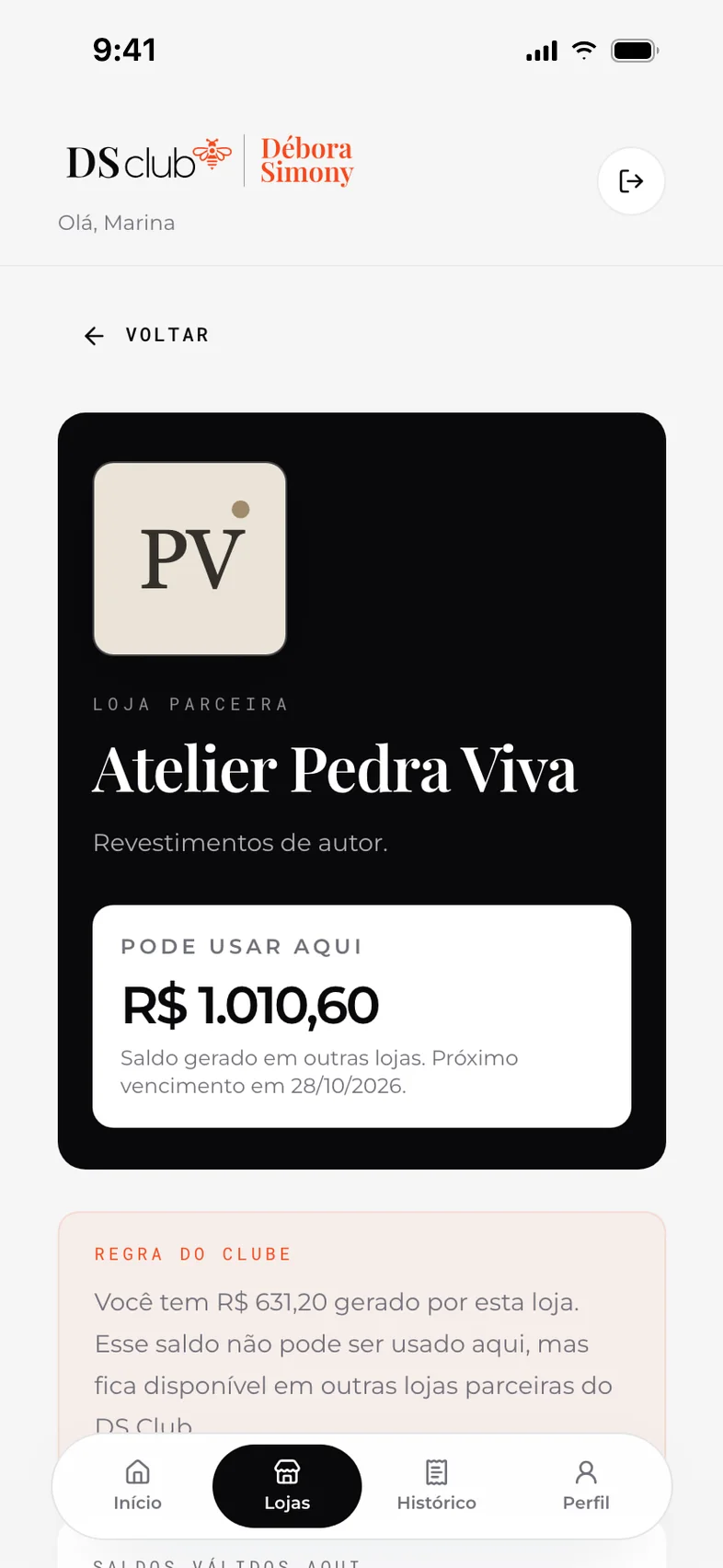
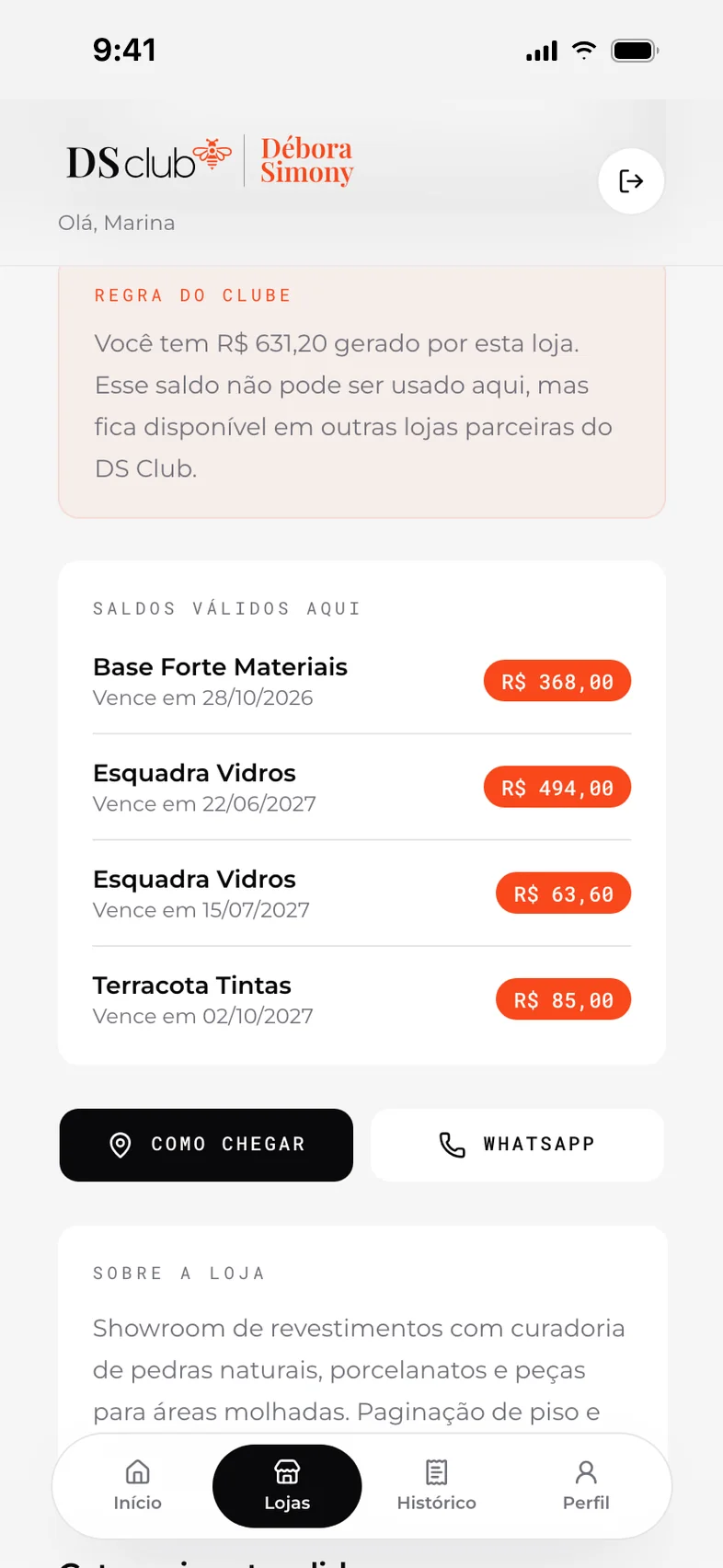
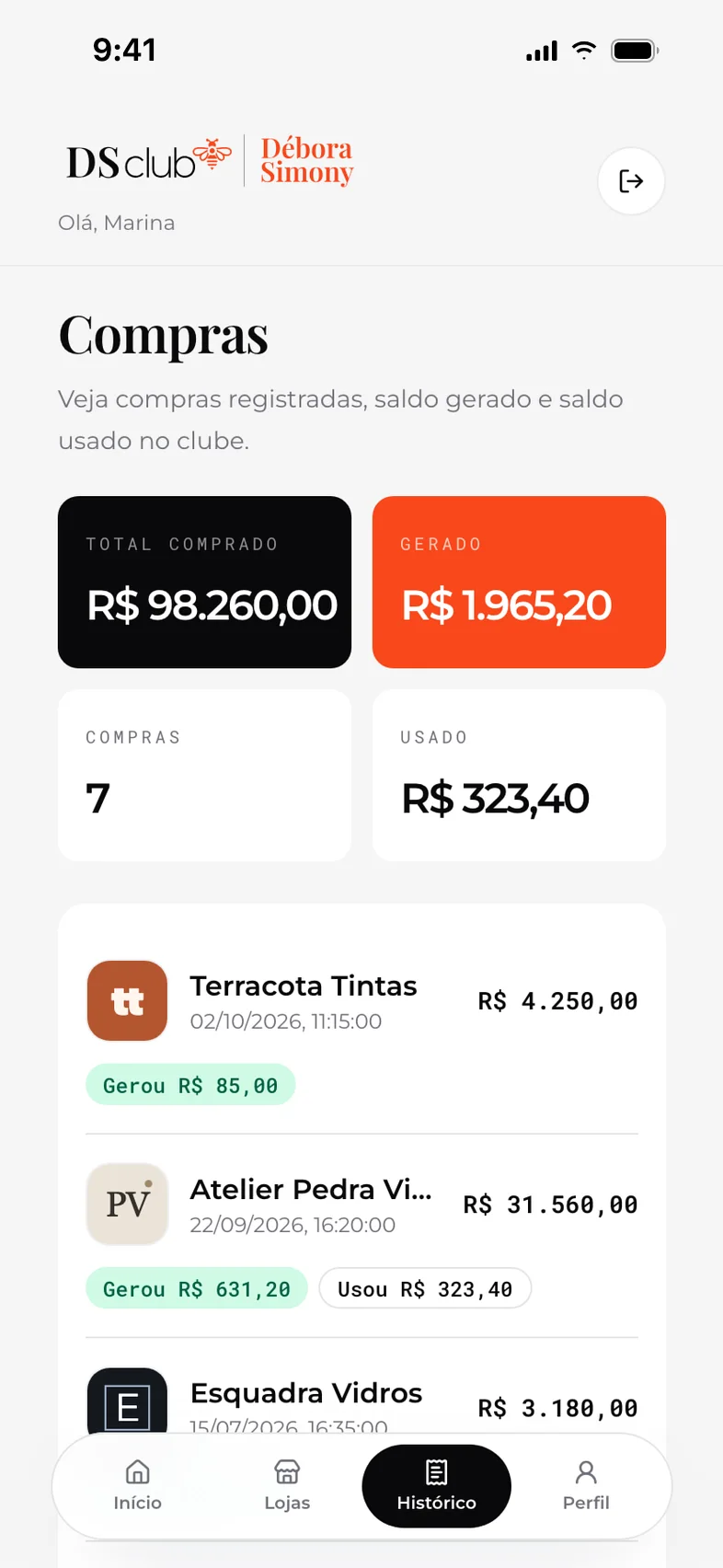
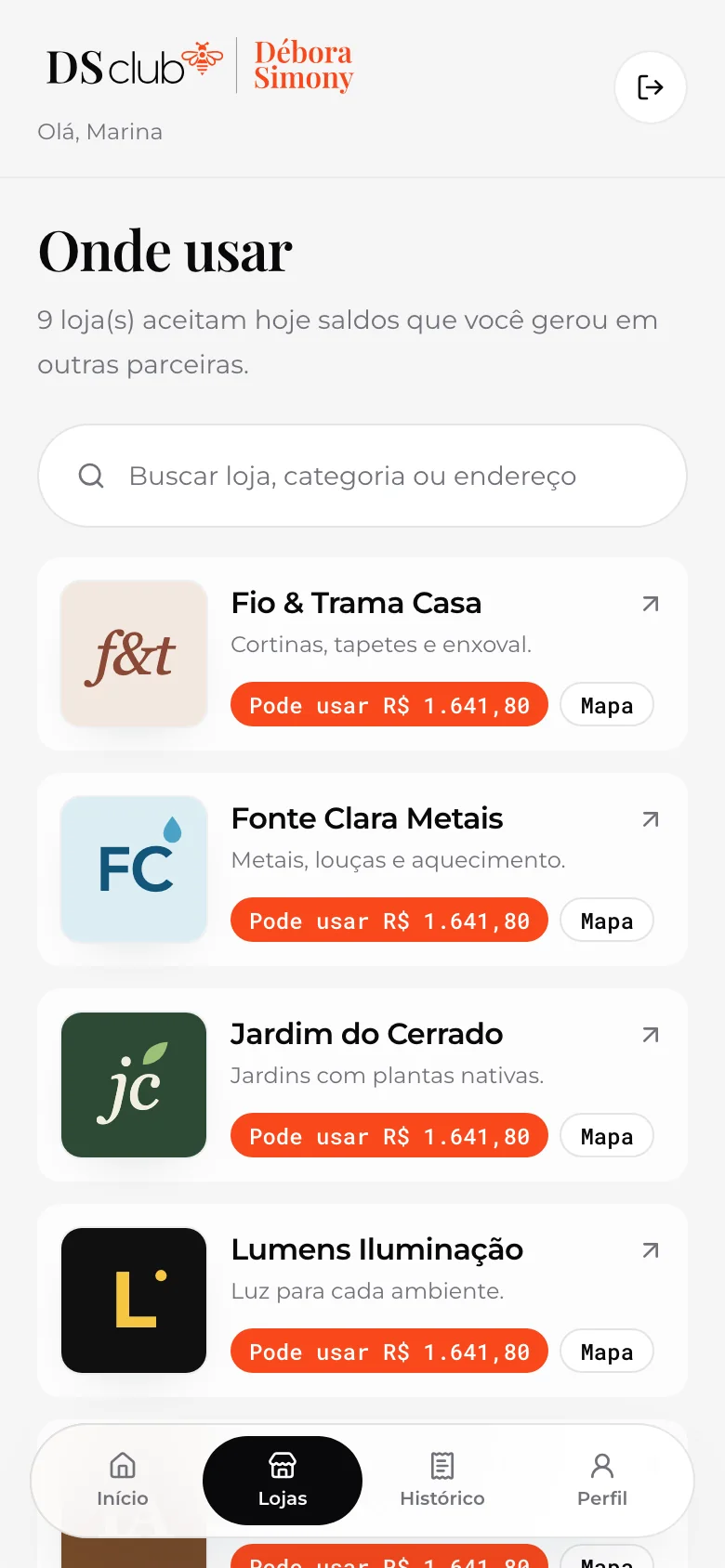
R$ 1.641,80 available, one balance expiring in the next 30 days, and the partners where it can be used.
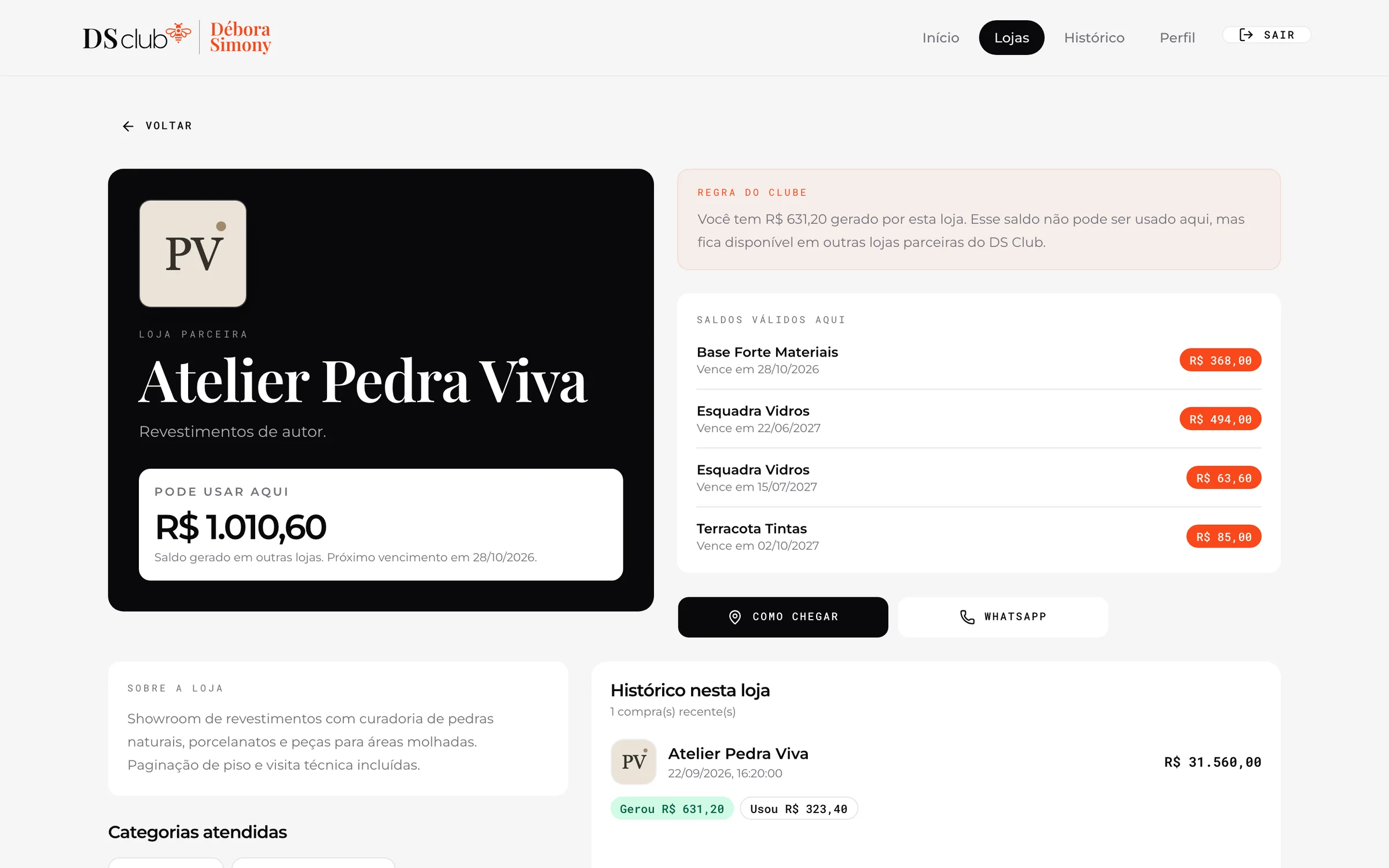
The same store page on the web
02
A sale in one form, cashback included
- console.dsclub.app/admin/vendas/nova
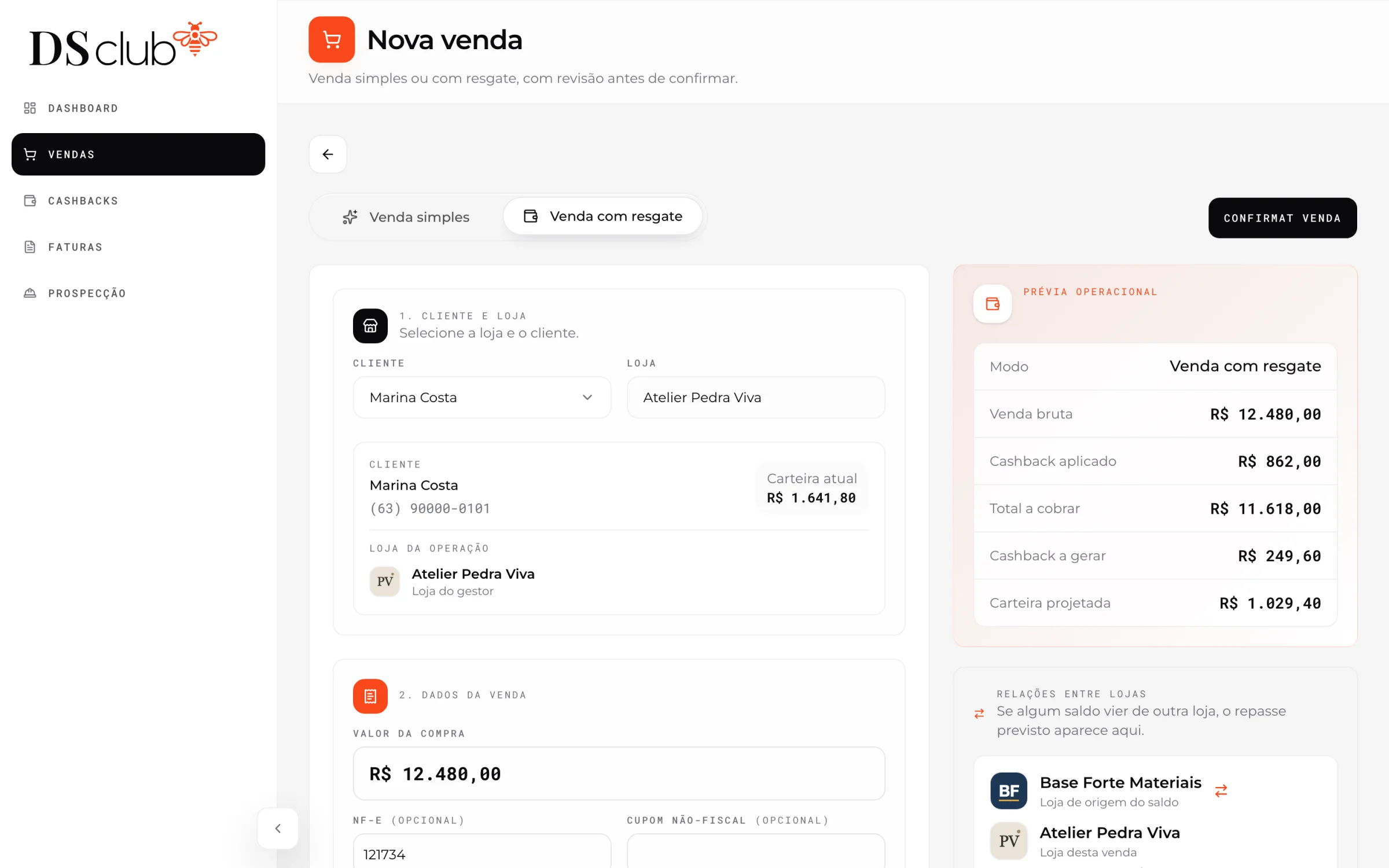
Pick the client
The store is the manager’s own. Picking the client brings their wallet, R$ 1.641,80, and the preview on the right follows the form as it fills.
- console.dsclub.app/admin/vendas/nova
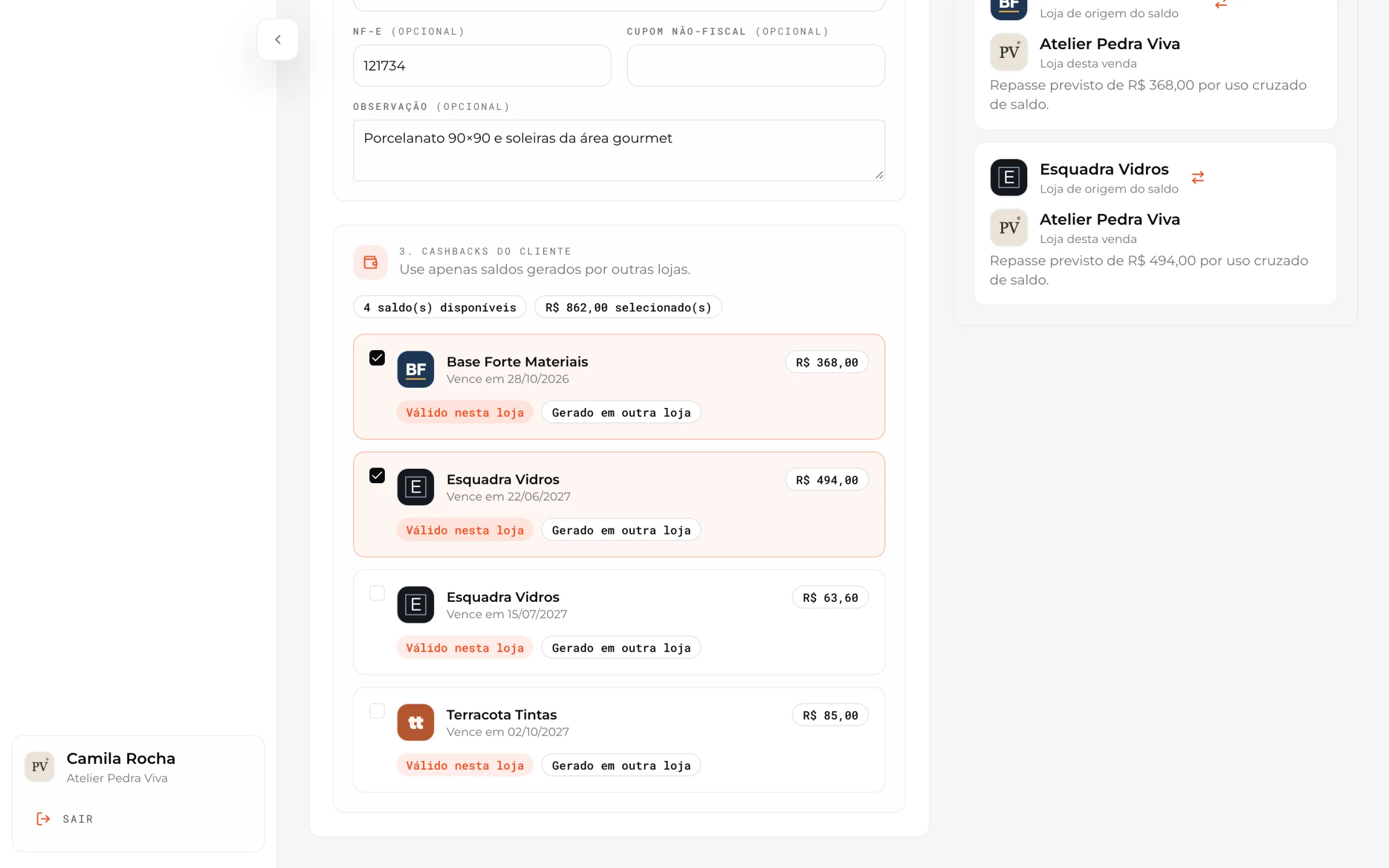
Apply cashback from other stores
Only balances earned elsewhere can be applied. Two are selected, R$ 862,00, and the preview lists the transfer each one will create.
- console.dsclub.app/admin/vendas
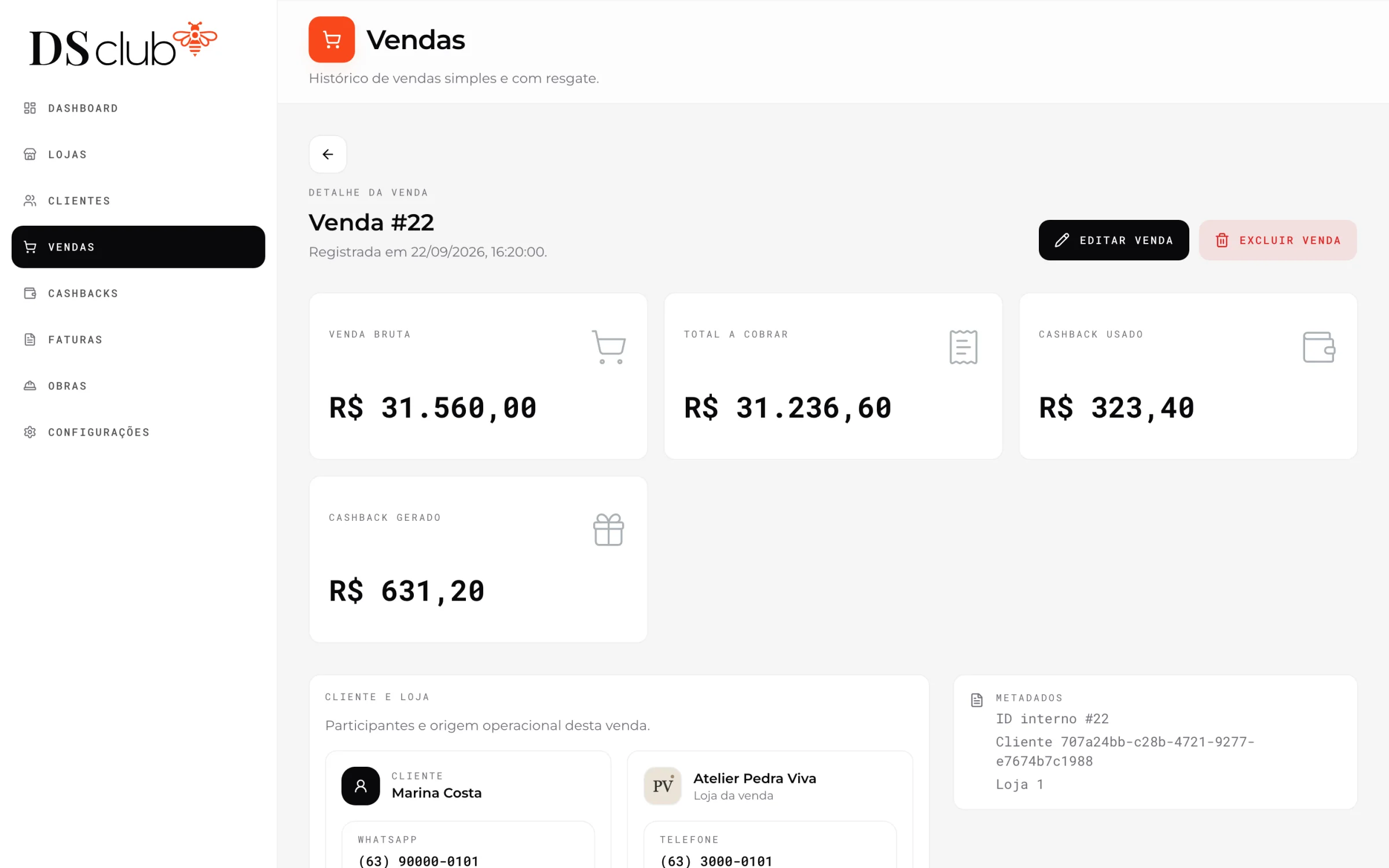
The sale, saved
Sale #22 at Atelier Pedra Viva: R$ 31.560,00, R$ 323,40 paid with other stores’ cashback and R$ 631,20 generated.
- console.dsclub.app/admin/vendas
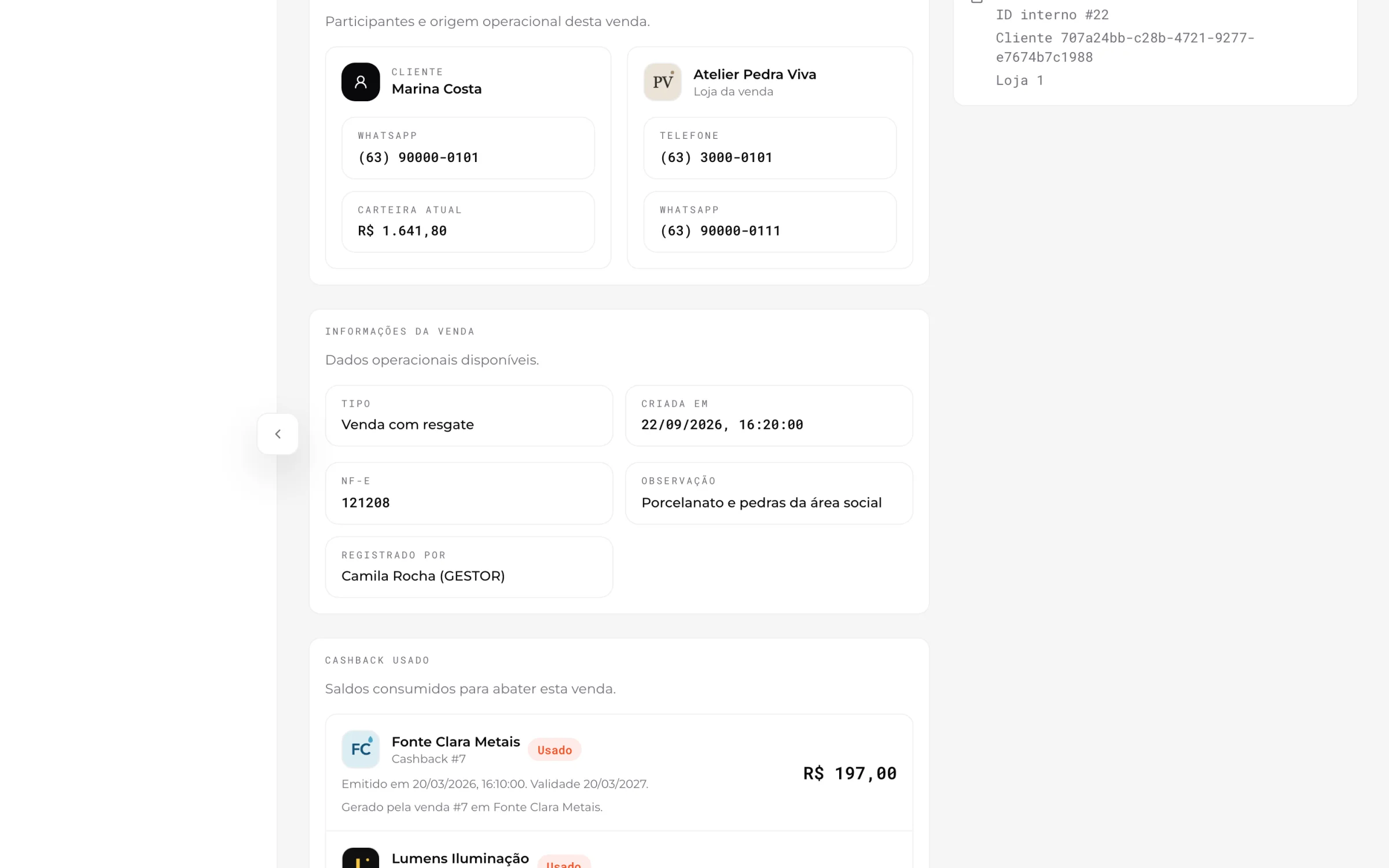
Who, where and from what
Client, store, invoice number and who registered it, then each balance used, with the sale that generated it.
- console.dsclub.app/admin/vendas
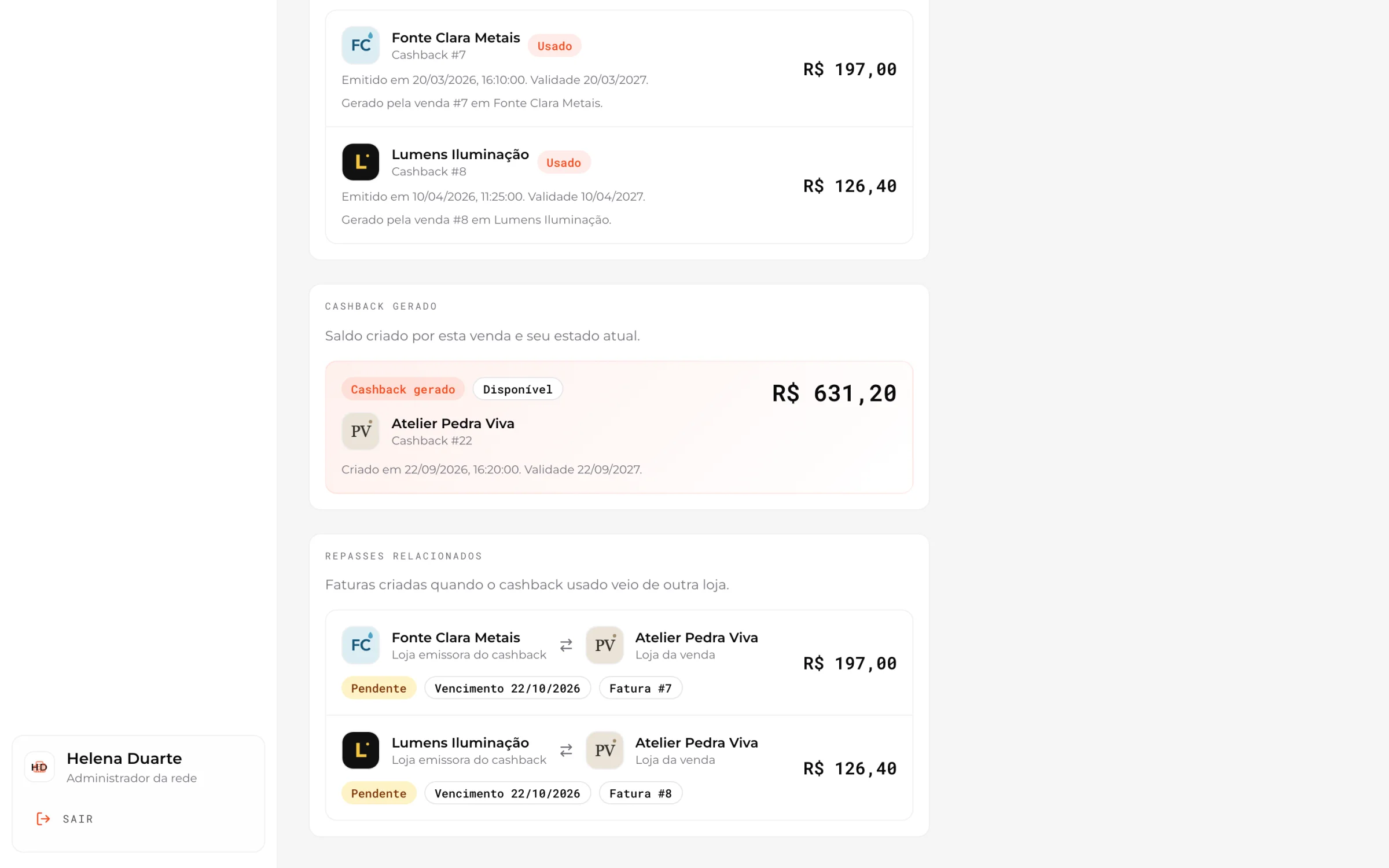
The invoices it created
The new cashback, and two invoices due 22/10/2026, one from each store whose cashback was spent here.
- 01 / 05
Pick the client
The store is the manager’s own. Picking the client brings their wallet, R$ 1.641,80, and the preview on the right follows the form as it fills.
- 02 / 05
Apply cashback from other stores
Only balances earned elsewhere can be applied. Two are selected, R$ 862,00, and the preview lists the transfer each one will create.
- 03 / 05
The sale, saved
Sale #22 at Atelier Pedra Viva: R$ 31.560,00, R$ 323,40 paid with other stores’ cashback and R$ 631,20 generated.
- 04 / 05
Who, where and from what
Client, store, invoice number and who registered it, then each balance used, with the sale that generated it.
- 05 / 05
The invoices it created
The new cashback, and two invoices due 22/10/2026, one from each store whose cashback was spent here.
03
Builds become leads for the right stores
Etapas da obra
PVEtapas atendidas por Atelier Pedra Viva
Obra
Casa Jardim
Marina Costa
5/10Revestimentos
Prospecção · Atelier Pedra Viva
- Casa JardimMarina CostaRevestimentos5/10
- Casa SerenaLarissa MendesRevestimentos5/10
- Casa BuritiFelipe AntunesPintura e acabamento8/10
At Revestimentos, a stage this store serves, Casa Jardim shows up on its prospecting board.
An explainer built from the demo’s own stages, store and builds. Choose a stage to move the build; the real boards follow.
The real boards
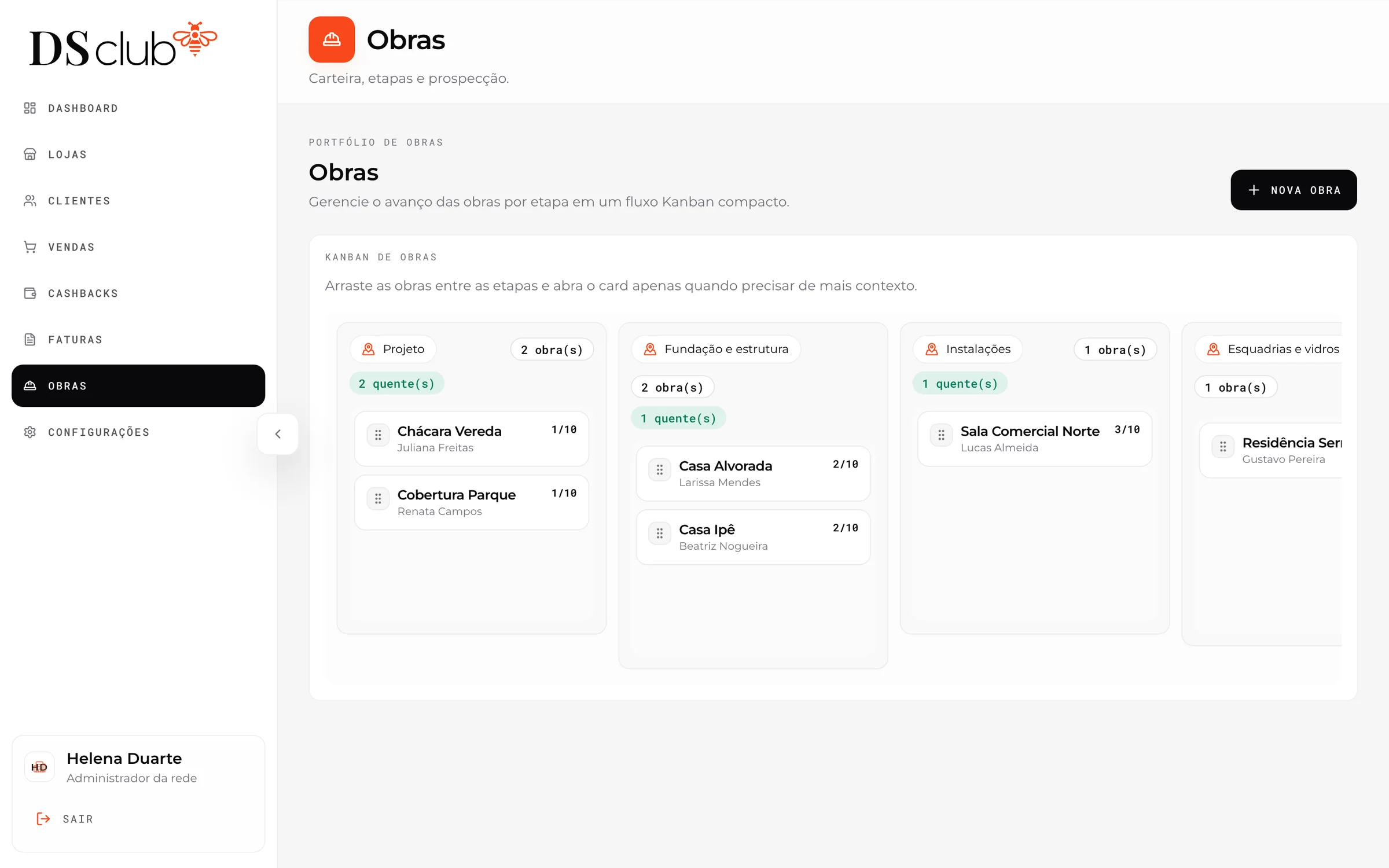
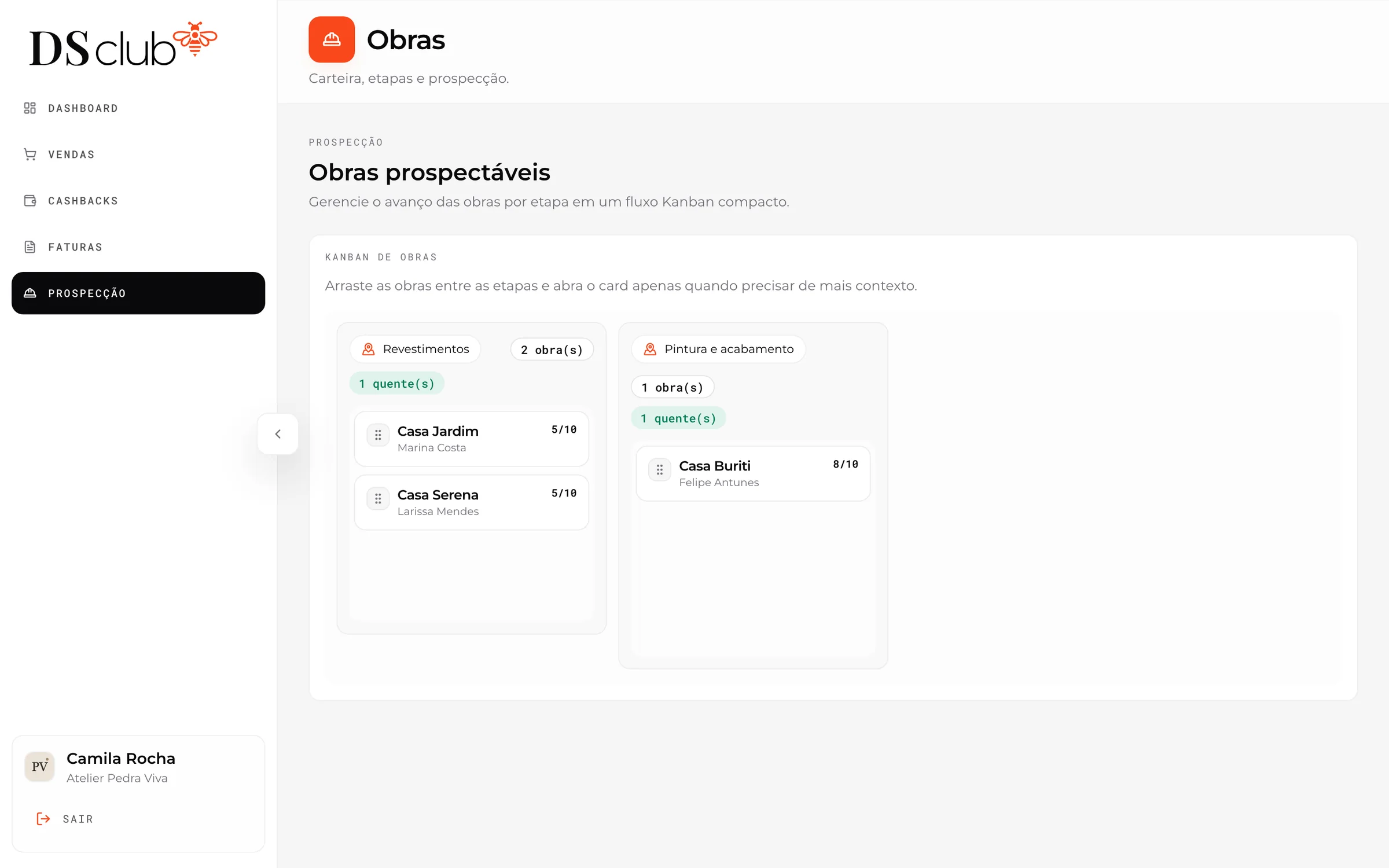
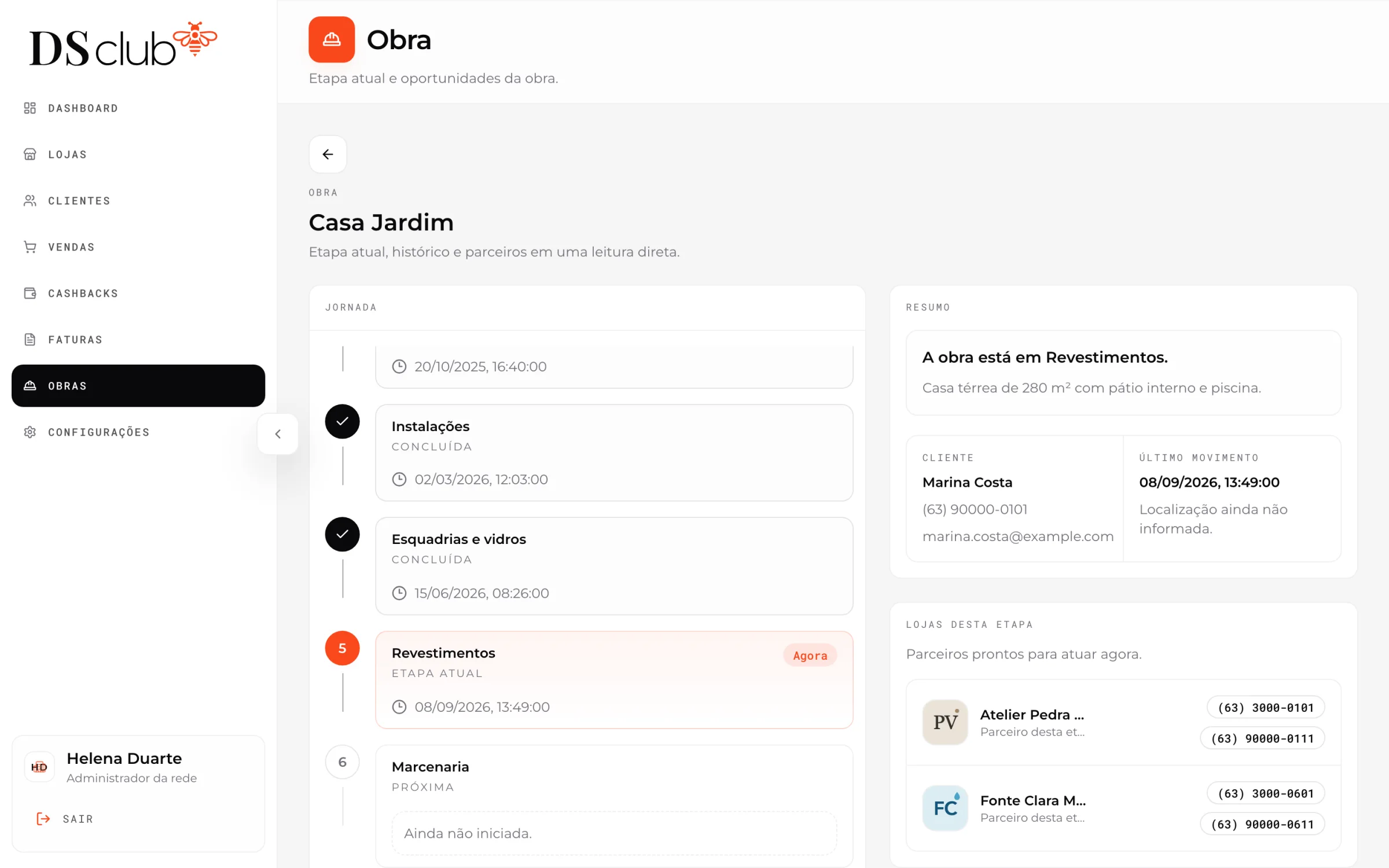
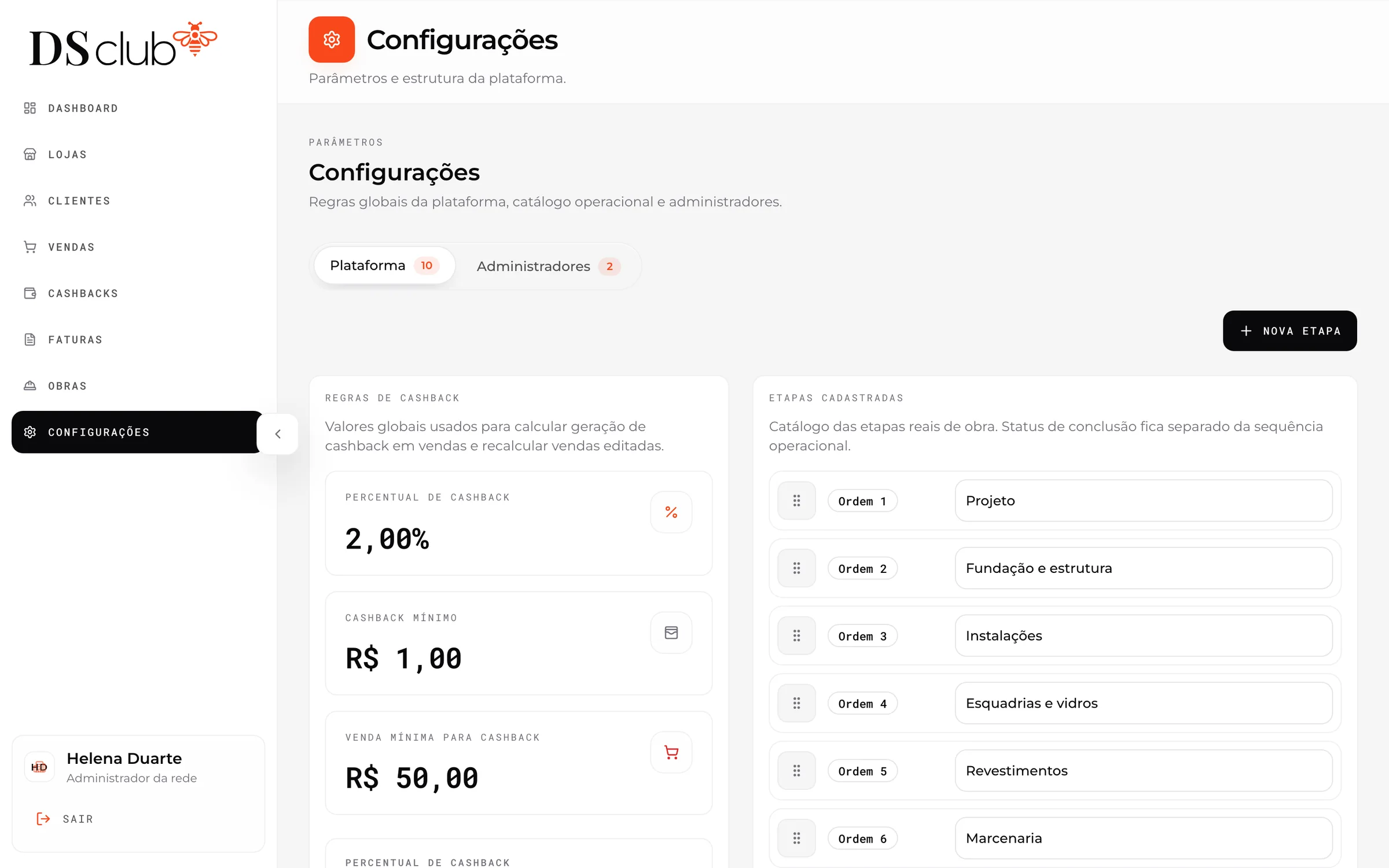
The firm sees every build on one board, by stage.
04
The money settles itself between stores
Loja emissora do cashback
Base Forte Materiais
Cliente: Gustavo Pereira
Loja da venda
Esquadra Vidros
Saldo de outra loja usado na compra
Fatura #3
VencidaBase Forte MateriaisDevedora
Esquadra VidrosCredora
30 dias para liquidar
The due date passes and a scheduled job marks it overdue. The firm can settle it in one click.
An explainer built from invoice #3 of the demo ledger, fictional stores and client included. The real screens follow.
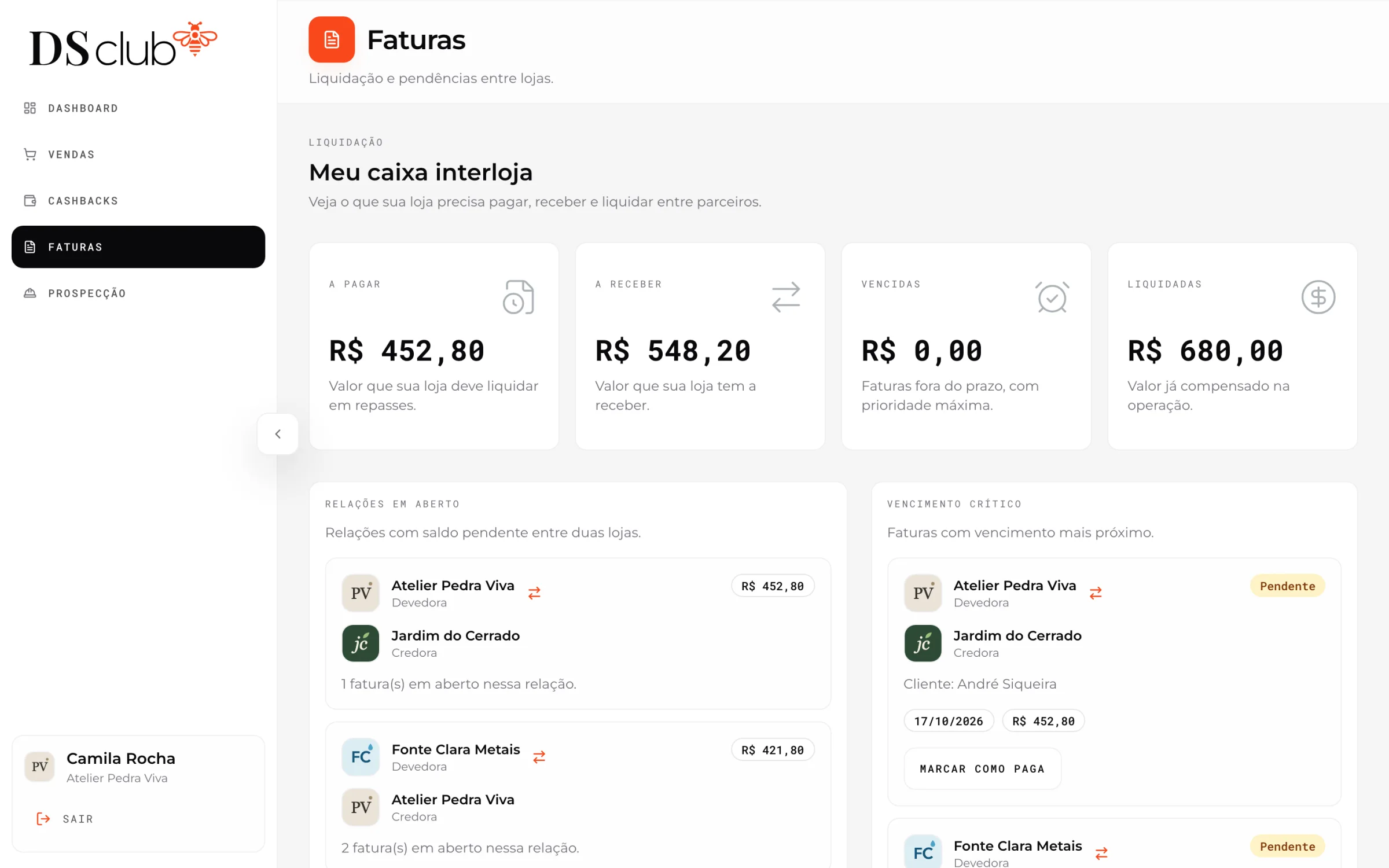
The real screens
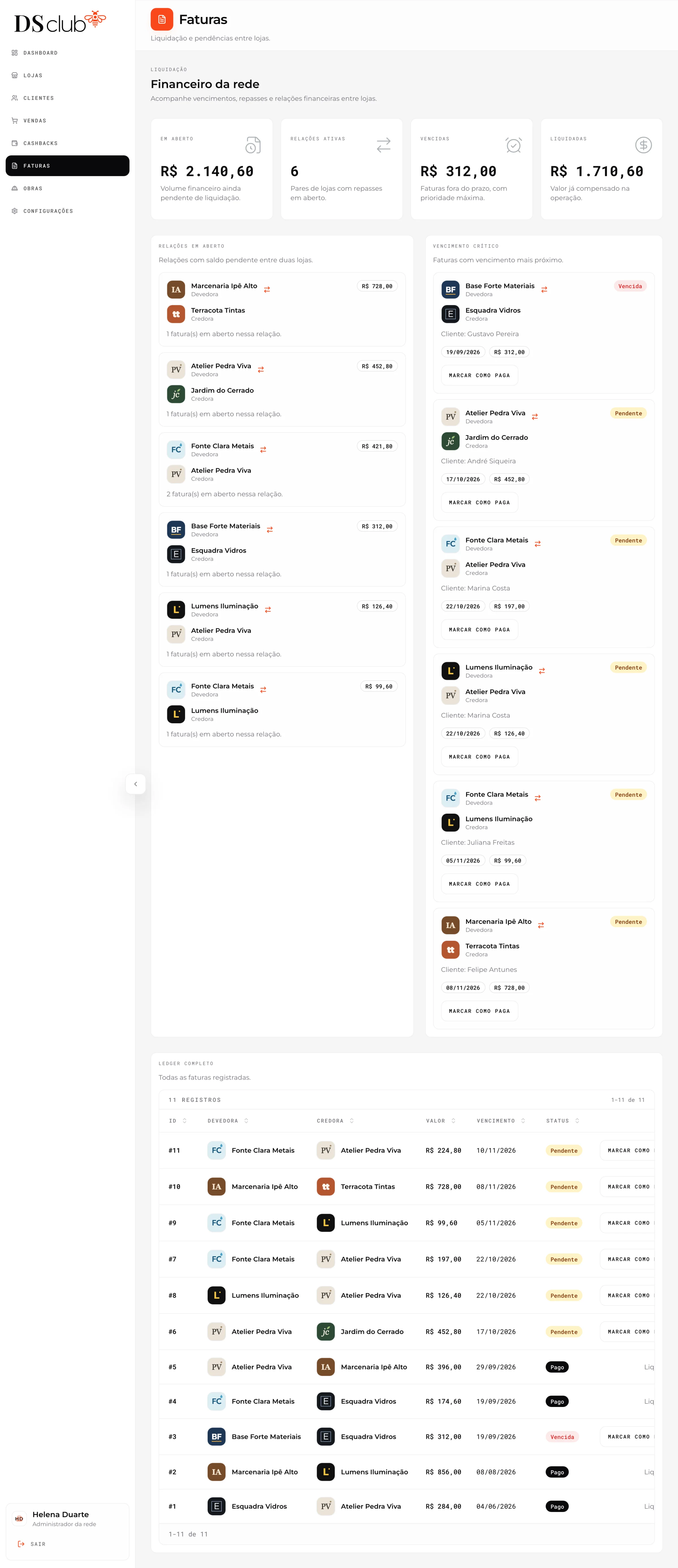
The firm’s view
Open, overdue and settled totals, every pair of stores with money between them, the nearest due dates and the full ledger of 11 invoices. Scroll inside the frame.
05
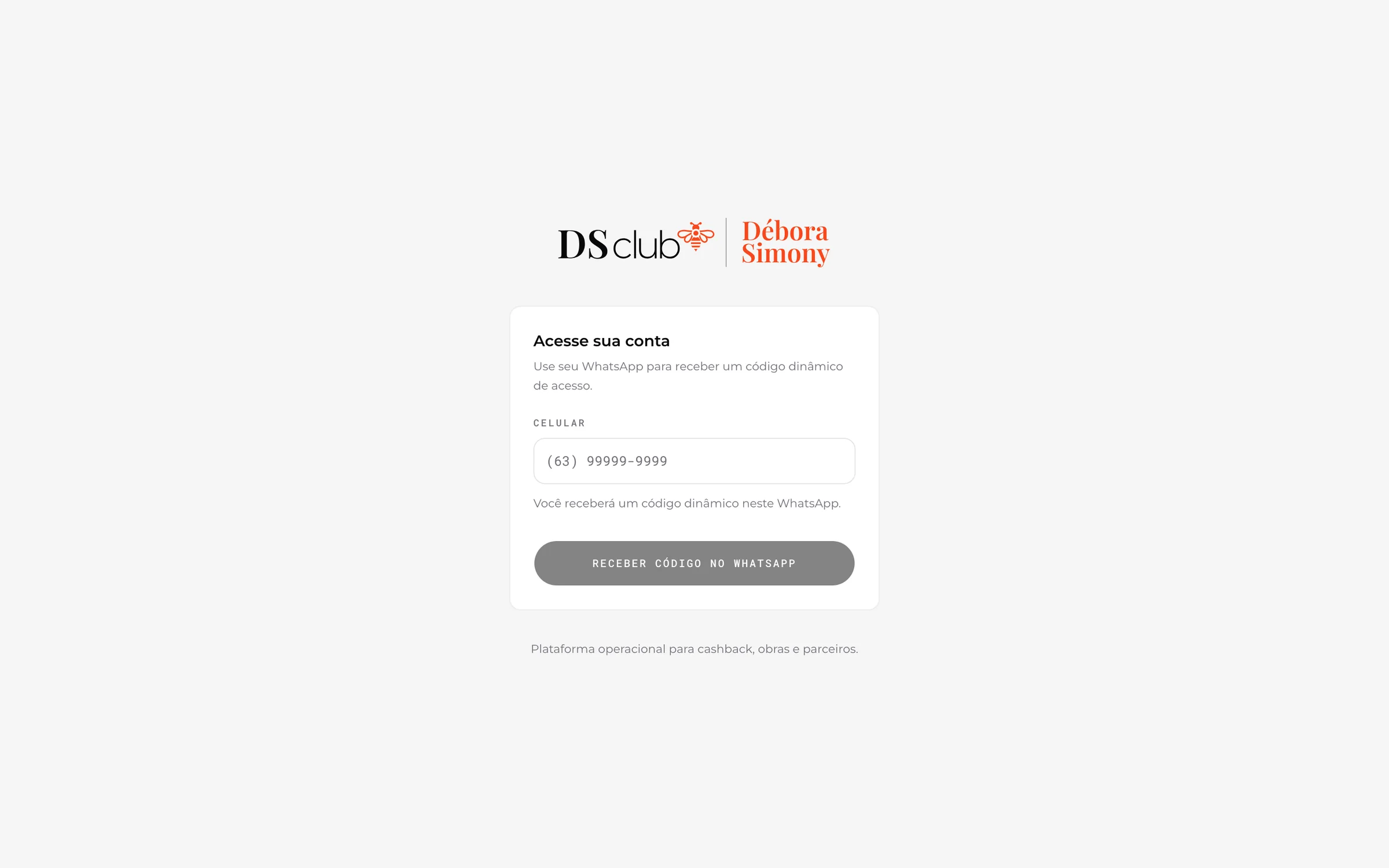
The club speaks up, on WhatsApp
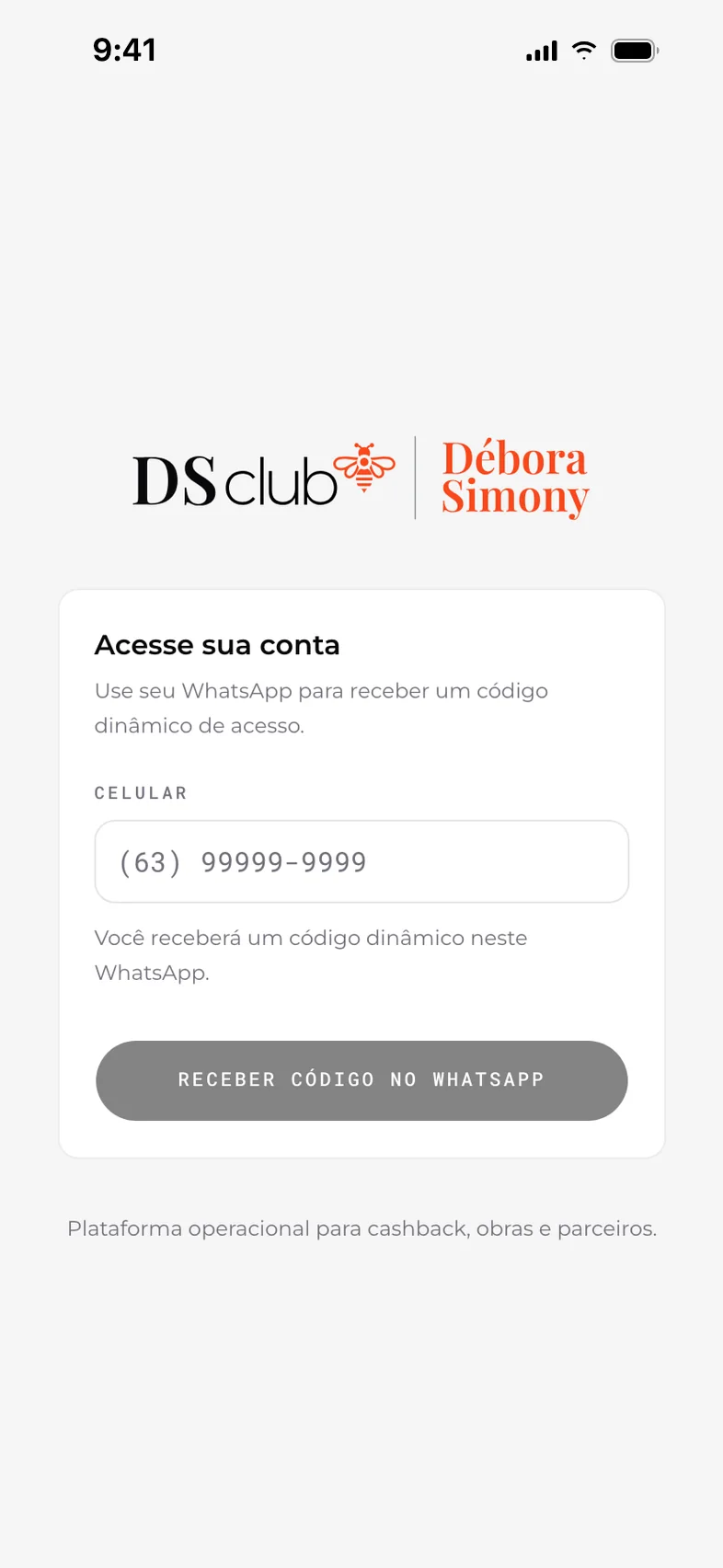
The live sign-in at dsclub.app: a phone number, then a code on WhatsApp.
Sent on WhatsApp
- 01Sign-in codeA six-digit code each time someone signs in.
- 02WelcomeWhen a client’s access is ready.
- 03Access createdFor new store managers and the firm’s staff.
- 04Access resetA fresh code when access is reset.
- 05New cashbackAfter each sale that generates it.
On a schedule
- 01Expire balancesCashback expires a year after the sale.
- 02Flag late invoicesInvoices past their due date turn overdue.
- 03Warn before expiryClients hear before a balance runs out.
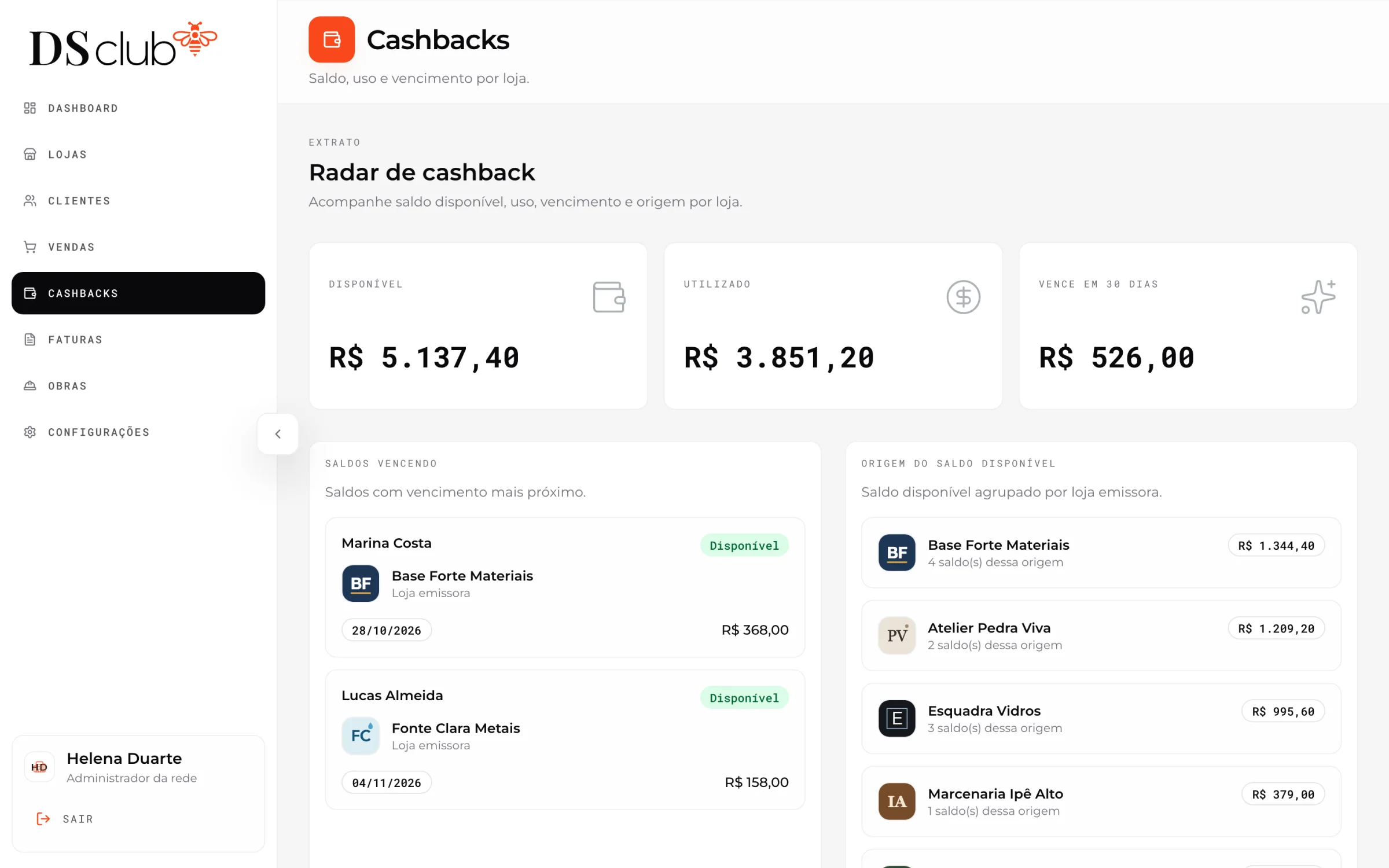
The firm’s side of expiry
Available, used and expiring in the next 30 days, the balances closest to expiring, and the balance held by each issuing store.
The look, after one redesign pass
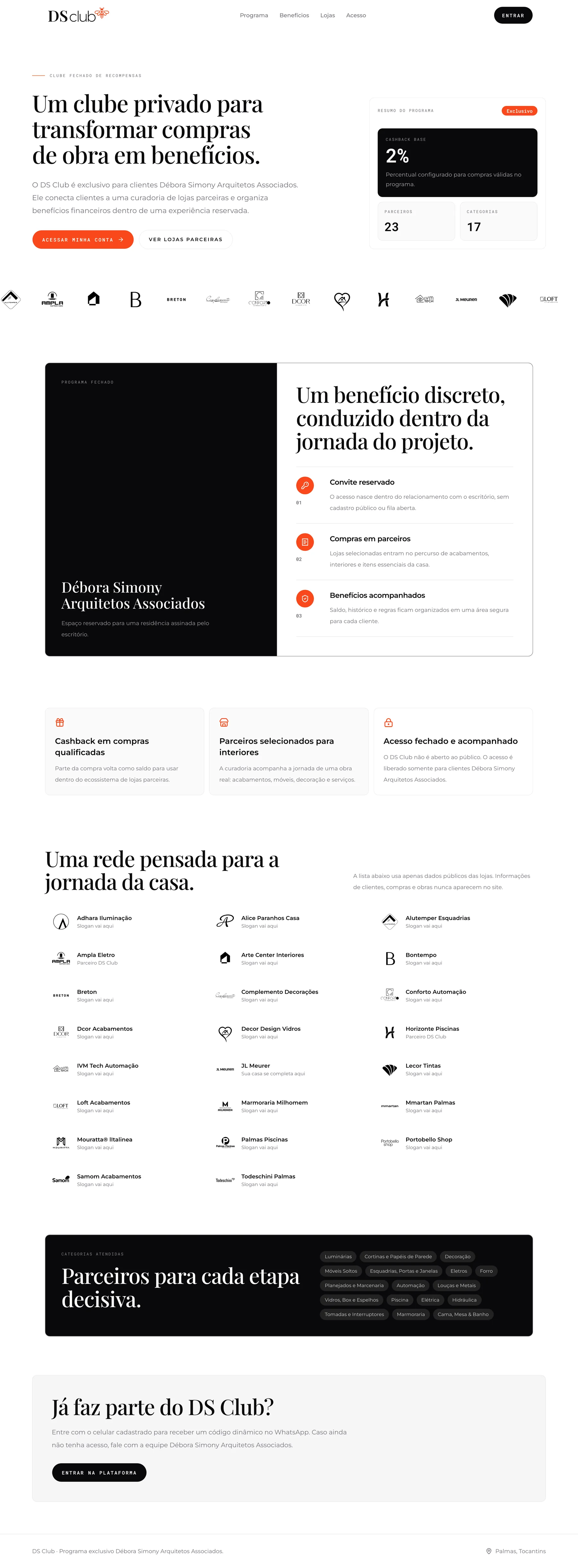
- Playfair Display for headlines, Montserrat for text, Roboto Mono for labels, and one signal red on ink and white.
- Hard-coded colors moved into tokens, 63 corner values mapped onto two, and glows and fake window chrome removed.
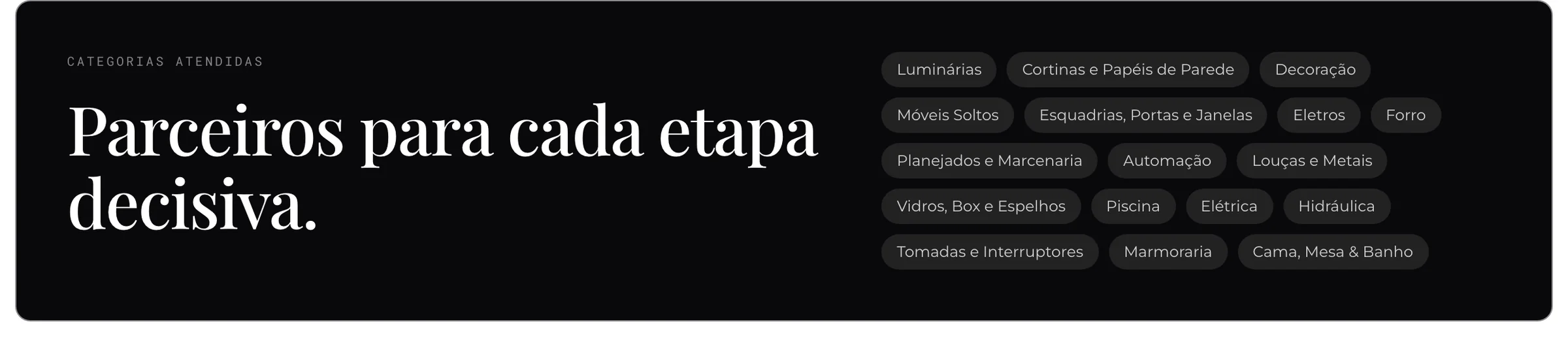
- The public page lists partners with public store data only. Client, purchase and build data never appear there.
Outcomes & learnings
- A generic CMS rebuilt as products for the firm, the stores and the clients, with a migration path for the club’s history.
- Invoices between stores now create themselves from each cross-store spend, a mechanism the old system had in its data but never used.
- The club’s rule lives in the API and on every store page, so clients see why a balance works in one place and not another.
- The public site is live at dsclub.app. The native iPhone client runs on the same API: built, not yet released.
What I learned
Writing the spec, the build plan and the UI rules before any code is what let one person direct agents across a whole product.